Post by PhantomJug on May 9th, 2013 at 2:49am
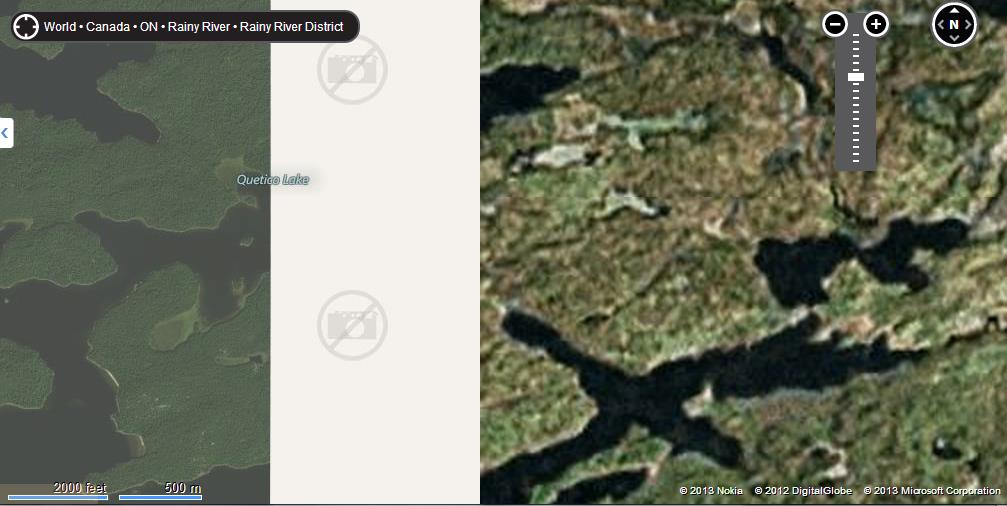
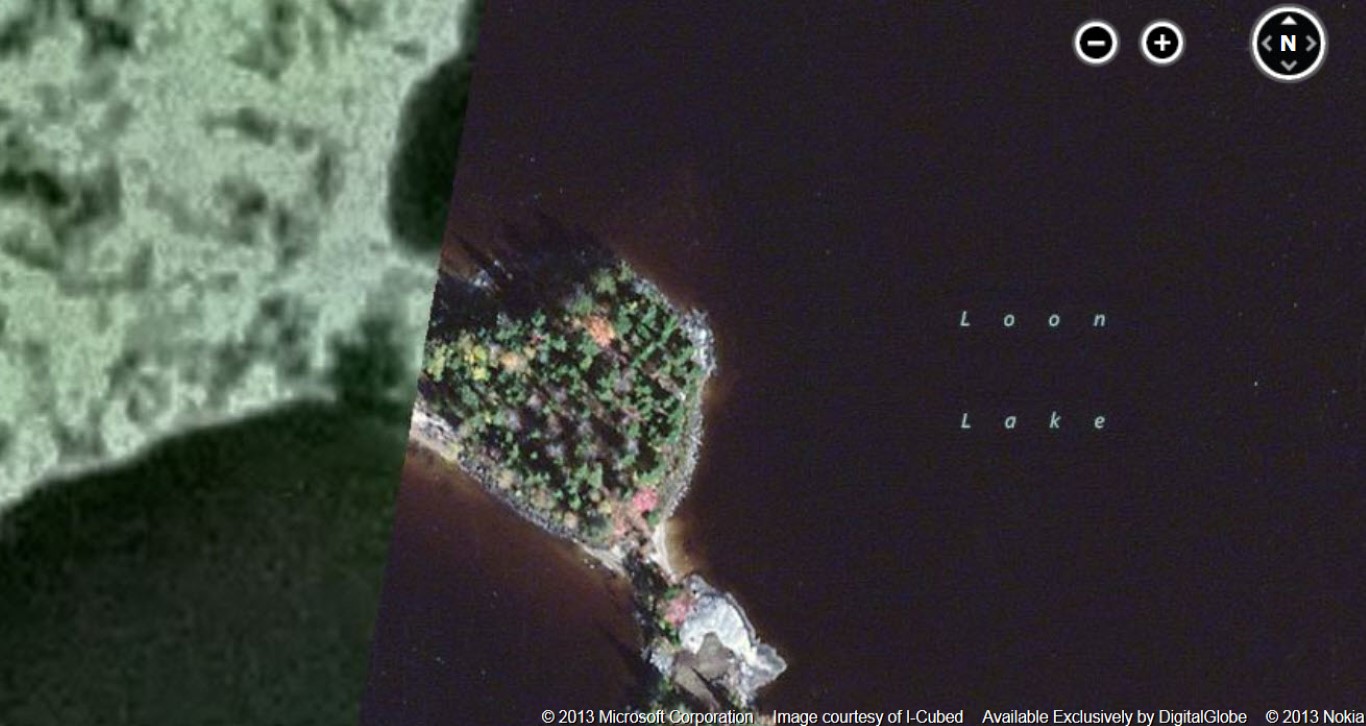
Bing is good except for instances like this.
 bing.jpg ( 63 KB | 0
Downloads )
bing.jpg ( 63 KB | 0
Downloads )
bing.jpg ( 63 KB | 0
Downloads )| QuietJourney Forums | |
|
Boundary Waters / Quetico Discussion Forums >> Strictly Gear - Gear specific reviews and ideas. >> Bing maps
https://quietjourney.com/community/YABB.cgi?num=1368057555 Message started by Joe_Schmeaux on May 8th, 2013 at 11:59pm |
|
|
Title: Bing maps Post by Joe_Schmeaux on May 8th, 2013 at 11:59pm
Do any of you use Bing satellite photos for route planning?
Until now, I had used Google Earth to get a rough idea of the terrain of planned routes. But GE's resolution isn't all that great for most of canoe country, and it seems there's always cloud cover over the areas you want to look at. Bing seems to have *much* better resolution than GE, and is now my preferred source for this sort of thing. (Am I the last to know about this?) Anyhow, here's what the Ox Lake / Bearpelt Creek area looks like. You can zoom in (not sure how to fix the brightness adjustment) or move to somewhere else if you prefer. (You need to Login or Register BTW, you want "AERIAL" not "BIRD'S EYE" to get the higher res. The traffic reports don't work in this area either. |
|
Title: Re: Bing maps Post by DentonDoc on May 9th, 2013 at 1:49am
Yep, I just created a "mosaic" of the complete Sabourin River system in Woodland Caribou PP by splicing together a number of captured screen shots.
You can navigate around my click and drag to adjacent areas. dd |
|
Title: Re: Bing maps Post by PhantomJug on May 9th, 2013 at 2:49am
Bing is good except for instances like this.
bing.jpg ( 63 KB | 0
Downloads ) |
|
Title: Re: Bing maps Post by Joe_Schmeaux on May 9th, 2013 at 8:55pm DentonDoc wrote on May 9th, 2013 at 1:49am:
DD, what do you use for stitching your screenshots together? For similar stuff in the past, I've occasionally used PTGUI - it's good for some things, but seems to do other unwanted stuff often enough that sometimes it seems more trouble than it's worth. Lately, I've just been using the "brute force" approach - load a bunch of tif images into Photoshop as separate layers, skew and distort them as necessary to maximize alignment with an underlying topo map layer, then merge the whole bunch into one composite image. That's time-consuming, but at least it gives me full control in keeping the scale consistent with my topo map "projection". Is Photostitch worth trying? Or Photoshop's built-in stitching algorithm? Or do you have a third, better way that you'd recommend? |
|
Title: Re: Bing maps Post by DentonDoc on May 9th, 2013 at 9:11pm
Brute force ... I'm using Photoshop. But since I'm using a rather tight scale, I didn't have to skew/stretch anything on my last effort.
Here is a sample (in WCPP where the Sabourin River dumps into Thicketwood Lake): (You need to Login or Register I did tweek the color a bit to make it less blue and more green. |
|
Title: Re: Bing maps Post by Mk631 on May 10th, 2013 at 1:01pm Joe_Schmeaux wrote on May 8th, 2013 at 11:59pm:
You are not last, I was behind you! I noticed PJ's use of an aerial I knew I hadn't seen in a thread yesterday & checked out Bing. Some of Quetico is nice quality shot in fall color & very low water -- really interesting if you've been there to see the water levels, for instance in Deux River area or Olifaunt. Some is missing high res. Some high res is kind of crappy, as is some of the Google maps/Earth stuff. I think Bing is ahead of Google in Quetico right now. -Tom |
|
Title: Re: Bing maps Post by BillConner on May 12th, 2013 at 11:47am
I too found it inconsistent. For instance, looking at my house, it seemed to be recent but when I zoomed in, to presumably highest resolution, it time shifted to 5 or so years ago, my new garage disappeared and the 2002 Tacoma I traded in 5 years ago reappeared.
|
|
Title: Re: Bing maps Post by Joe_Schmeaux on May 12th, 2013 at 4:51pm
Weird.
It looks like they have (up to) two separate sets of photos: one at Google-res and another at high res, with the software switching between them depending on zoom level. Maybe that's the reason for the brightness change when you zoom in on the link I posted earlier. I know there are gaps in the data - some areas have no coverage, areas much bigger than the missing section in PJ's screenshot. Apparently Microsoft acquired some 170 terabytes of data in June 2012, so hopefully it's an annual-budget-schedule-driven thing, and they will add another chunk of high-res coverage next month. Don't hold your breath on getting your new car back, though, Bill. :) |
|
Title: Re: Bing maps Post by BillConner on May 13th, 2013 at 11:11am
Maybe its a time machine in beta testing....
|
|
Title: Re: Bing maps Post by db on May 13th, 2013 at 5:42pm
I liked the seasonal difference I saw when I zoomed.
|
|
Title: Re: Bing maps Post by Magicpaddler on May 13th, 2013 at 10:18pm
Some places you get different seasons in Birds eye. I look at that as more information. As I look at birds eye of my house I have cars in different places depending on which direction I look at the house form.
Some places in Quetico have hi res birds eye. |
|
Title: Re: Bing maps Post by scottv11 on Jun 14th, 2013 at 2:03pm
[font=Comic Sans MS][/font]
The hi res areas are a lot better than GE but it looks hit or miss. the difference is stark. check this area: |
|
Title: Re: Bing maps Post by scottv11 on Jun 14th, 2013 at 2:04pm
sorry I could not post photo as an attachment. The error said volume too large although it was 137kb
|
|
Title: Re: Bing maps Post by db on Jun 14th, 2013 at 3:06pm scottv11 wrote on Jun 14th, 2013 at 2:04pm:
It should upload now. Try it again. |
|
Title: Re: Bing maps Post by Marten on Jun 14th, 2013 at 3:09pm |
|
Title: Re: Bing maps Post by scottv11 on Jun 14th, 2013 at 4:17pm
OK here is the photo I ment to post showing resolution difference
bing_map__Medium_.jpg ( 151 KB | 0
Downloads ) |
|
Title: Re: Bing maps Post by db on Jun 14th, 2013 at 4:50pm Marten wrote on Jun 14th, 2013 at 3:09pm:
Yup. Wouldn't it be nice if we could see it over time? |
|
Title: Re: Bing maps Post by Marten on Jun 14th, 2013 at 5:48pm
As I looked at other areas I could see what others are saying about big drops in resolution as you pan around. I was sure glad that an area I need to lay out a route in was hi-res.
|
|
Title: Re: Bing maps Post by Joe_Schmeaux on Jun 14th, 2013 at 10:41pm
After using it more, the Bing hi-res coverage really seems to be hit 'n' miss. The Cache River area in Quetico is great. Most of the Bloodvein River in Manitoba is hi-res, but so dark as to be useless.
But it's nice when it works! |
|
Title: Re: Bing maps Post by BillConner on Jun 15th, 2013 at 12:03pm Magicpaddler wrote on May 13th, 2013 at 10:18pm:
At my house, there are different cars and structures, showing a 3 to 4 year gap between the highest res and a step lower. Very spotty. |
|
QuietJourney Forums » Powered by YaBB 2.6.0! YaBB Forum Software © 2000-2026. All Rights Reserved. |